


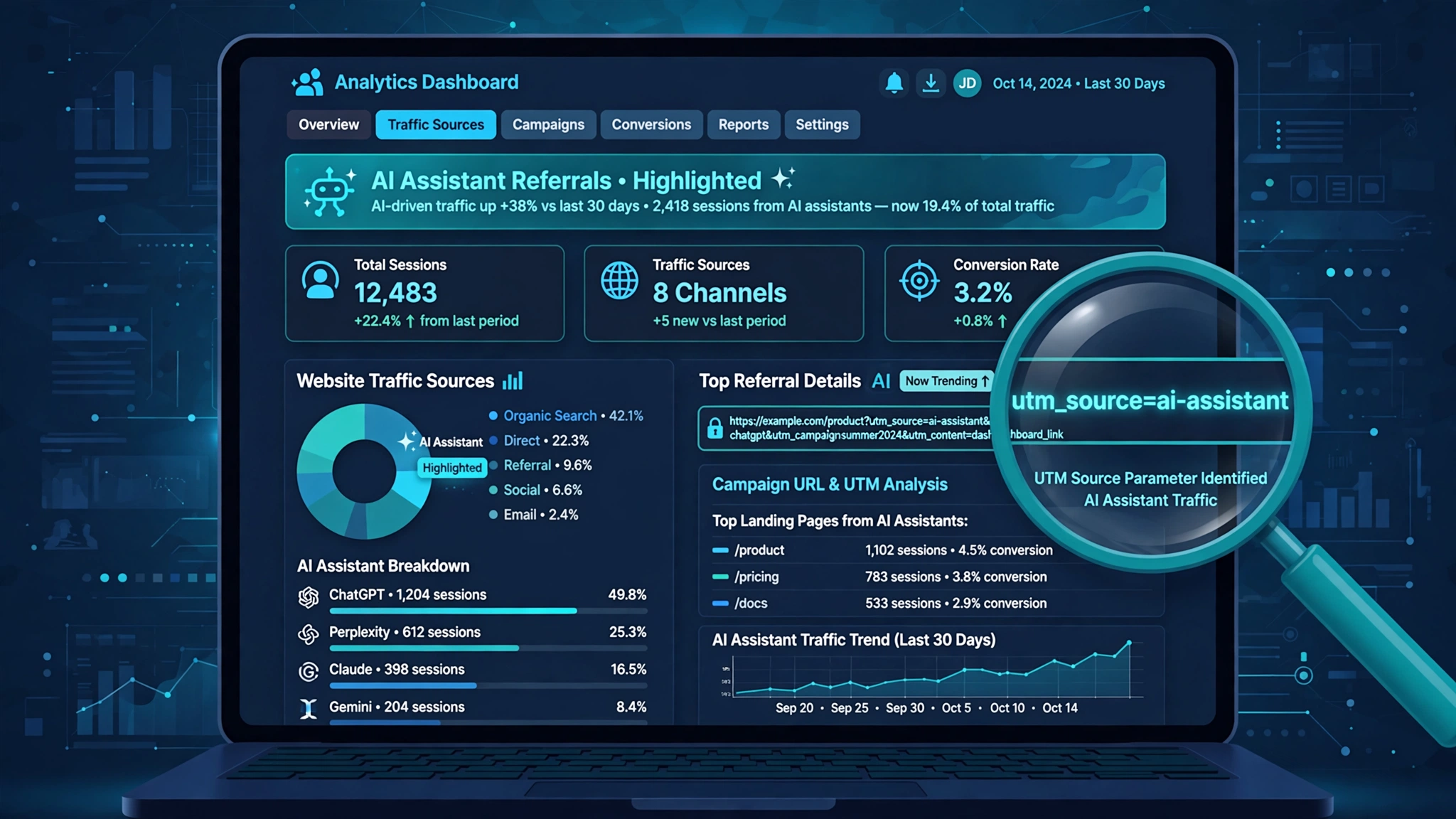
As AI assistants send more referral traffic to websites, businesses are facing a new measurement problem: much of that traffic never shows up properly in analytics.
Traditional acquisition reports can show rankings, clicks, and sessions, but visits from ChatGPT, Gemini, Claude, and Perplexity often land in the wrong bucket — or in Direct, where they look like nothing at all.
That is starting to change. Google’s Gemini has begun adding utm_source=gemini to some of its outbound links, giving site owners their first clean way to identify Gemini-referred visits in GA4.
Key Takeaways
- Gemini has started adding utm_source=gemini to some outbound links — spotted on Reddit in late September 2026 and confirmed by Google’s John Mueller.
- The tag matters because referrers often die inside mobile apps and in-app browsers; a UTM in the URL survives and appears in server logs and GA4.
- Google has published no documentation on which links get tagged or when — treat early numbers as directional, not complete.
- In GA4, check Reports → Acquisition → Traffic acquisition, switch the dimension to Session source / medium, and search “gemini”. For a durable view, build a custom “AI assistants” channel group with a source regex, ordered above Referral.
- What the tag will never show: zero-visit citations, when an AI answer mentions your brand but nobody clicks.
What Did Gemini Start Doing with Its Links?
In late September 2026, a user on Reddit’s r/SEO noticed something new: links from Google’s Gemini to external websites were carrying UTM parameters — specifically utm_source=gemini. The discovery was about a day old when it surfaced.
Google’s John Mueller replied in the thread: “Nice. I see it too.” He then asked the room a pointed question — doesn’t Gemini already pass a referrer, so couldn’t site owners track this before? That question turned out to be the interesting part of the story.
Search Engine Journal published the story on October 1, 2026, and subsequent coverage confirmed the tag is real but narrow: it appears on some outbound Gemini links, and nobody outside Google knows the full rules for when it fires.
Why Does a UTM Tag Matter If Gemini Already Passes a Referrer?
Referrers are fragile. On desktop web they mostly survive, but inside mobile apps and in-app webviews they frequently get stripped. One commenter in the Reddit thread claimed Gemini’s referrer passes through only about 9% of the time from the mobile app, and that Android assistant invocations strip it entirely. That is a single unverified forum comment rather than measured data — but the underlying mechanism is real and well understood. Referrers die in apps; URL parameters don’t.
A UTM parameter rides inside the link itself. It survives the in-app webview, shows up in raw server logs, and lands in GA4 as the session source. That is why this tag matters: much of the traffic it identifies was previously landing in the Direct bucket, where it looked like nothing at all.
What Has Google Not Said About the Tagging?
Most coverage buries this, so it belongs up front: Google has published nothing about this change. No announcement, no documentation page, no specification of which links get tagged, which Gemini surfaces support it, what percentage of links carry it, or the full parameter structure.
There is also a useful precedent worth knowing. ChatGPT adds UTM parameters only to links in answers grounded from live web sources — not to links in answers drawn from training data. That suggests Gemini’s tagging is likely narrower than it first appears. Do not assume every Gemini citation of your site will arrive tagged.
How Do I Check Gemini Traffic in GA4 Right Now?
The quick check takes about a minute:
- Open Reports → Acquisition → Traffic acquisition.
- Look for the AI Assistant row. Google added this default channel to GA4 on May 13, 2026 — it automatically files sessions from known AI sources (ChatGPT, Gemini, DeepSeek, Copilot, Grok, and others) with the medium ai-assistant.
- Change the dimension to Session source / medium and search for “gemini”. Repeat for chatgpt, perplexity, and claude.
A comparison most people skip: look at the weeks before and after early October 2026 on gemini as a session source. The tagging only started recently, so that comparison isolates what the tag actually unlocked for your site versus what your referrer data was already catching.
How Do I Build a Proper AI Traffic View in GA4?
The default AI Assistant channel is a good start, but it has a structural problem. The same AI source can fragment across several channels depending on the visit:
| Channel | When Gemini traffic lands here |
|---|---|
| AI Assistant | Recognized AI source with intact attribution |
| Referral | Referrer survived, but source not in Google’s AI list |
| Unassigned | Source/medium combination GA4 can’t classify |
| Direct | Referrer stripped (mobile apps, in-app browsers) |
A custom channel group fixes this:
Step 1: Create the Channel Group
Go to Admin → Data display → Channel groups and create a new custom channel group.
Step 2: Define the AI Assistants Channel
Add a channel with the condition Source matches regex, covering the AI sources you care about. For example: ^(.*\.)?(chatgpt\.com|gemini\.google\.com|perplexity\.ai|claude\.ai|copilot\.microsoft\.com)$
Step 3: Order It Above Referral
Channel rules evaluate top-down, so place your AI assistants channel above Referral. Otherwise Referral will swallow the traffic first.
Step 4: Analyze in Explorations
Use the Session source, Page referrer, and Landing page + query string dimensions with Sessions, Engagement rate, and Key events as metrics.
Because utm_source becomes the session source in GA4, a source-based regex catches both referrer-driven and UTM-tagged visits in one place.
What Will This Tag Still Not Show Me?
Two honest limitations:
- Zero-visit citations stay invisible. When an AI answer names your brand, summarizes your content, or recommends you — and nobody clicks — no analytics platform records it. The UTM only measures clicks. The other half of the picture needs brand-mention tracking across AI answers, a different measurement entirely. My guide to tracking brand mentions in AI search covers the methods.
- Coverage is partial by design. Between the undocumented firing rules and the ChatGPT precedent, assume tagged traffic is a floor, not a ceiling. Your real Gemini footprint is bigger than what utm_source=gemini shows.
Does GA4’s AI Assistant Channel Include AI Overviews Traffic?
No — and this trips people up constantly. Google explicitly keeps AI Overviews and AI Mode clicks under Organic Search, not in the AI Assistant channel. The AI Assistant channel covers assistant products like Gemini and ChatGPT. Measuring AI Overviews impact is a Search Console job, not a GA4 channel job.
Track the Traffic You Can See, Then Measure the Rest
Gemini’s utm_source tag is a small, undocumented change that fixes a real measurement hole: AI-referred visits silently landing in Direct. Run the one-minute check today, build the custom channel group this week, and run the pre/post-October comparison so you know what the tag actually unlocked.
And keep the honest framing: tagged clicks are the traffic you can see. The answers that mention you without a click are the visibility you can’t — yet. Understanding both is what AI search analytics is really about, and it helps to know the difference between AEO, GEO, and SEO before deciding where to invest next.
People Also Ask
Is Gemini traffic showing up in my GA4?
It might be. Check Reports → Acquisition → Traffic acquisition, switch to Session source / medium, and search “gemini”. Since late September 2026, some Gemini outbound links carry utm_source=gemini, which appears as the session source. Older or untagged visits may still sit in Referral, Unassigned, or Direct.
Why is my AI traffic in Direct instead of Referral?
Because referrers get stripped inside mobile apps and in-app webviews. The visit still happens, but GA4 can’t see where it came from, so it lands in Direct. UTM parameters survive this because they travel inside the URL itself.
Which Gemini links get the utm_source=gemini tag?
Nobody outside Google knows. Google has published no documentation on which links are tagged, which Gemini surfaces support it, or how often it fires. Treat tagged traffic as a partial view.
How do I create a custom AI channel in GA4?
Go to Admin → Data display → Channel groups, create a new group, add a channel with “Source matches regex” covering AI domains (chatgpt.com, gemini.google.com, perplexity.ai, claude.ai, copilot.microsoft.com), and order it above Referral.
Does the AI Assistant channel include AI Overviews clicks?
No. Google reports AI Overviews and AI Mode traffic under Organic Search. The AI Assistant channel covers assistant products like Gemini and ChatGPT only.
